
Apply for a Ghana visa online
You'll need
- Passport valid 6+ months after you leave Ghana, with 3 blank pages
- Recent colour photo, about 3.5 × 4.5 cm, on a white or light background
- Return or onward ticket
- Proof of accommodation for your whole stay
- Tourist visa: bank statements for the last 3 months
- Business visa: signed invitation letter and company documents
- Yellow fever vaccination certificate
- An email address you check
-
1
Check if you need a visa
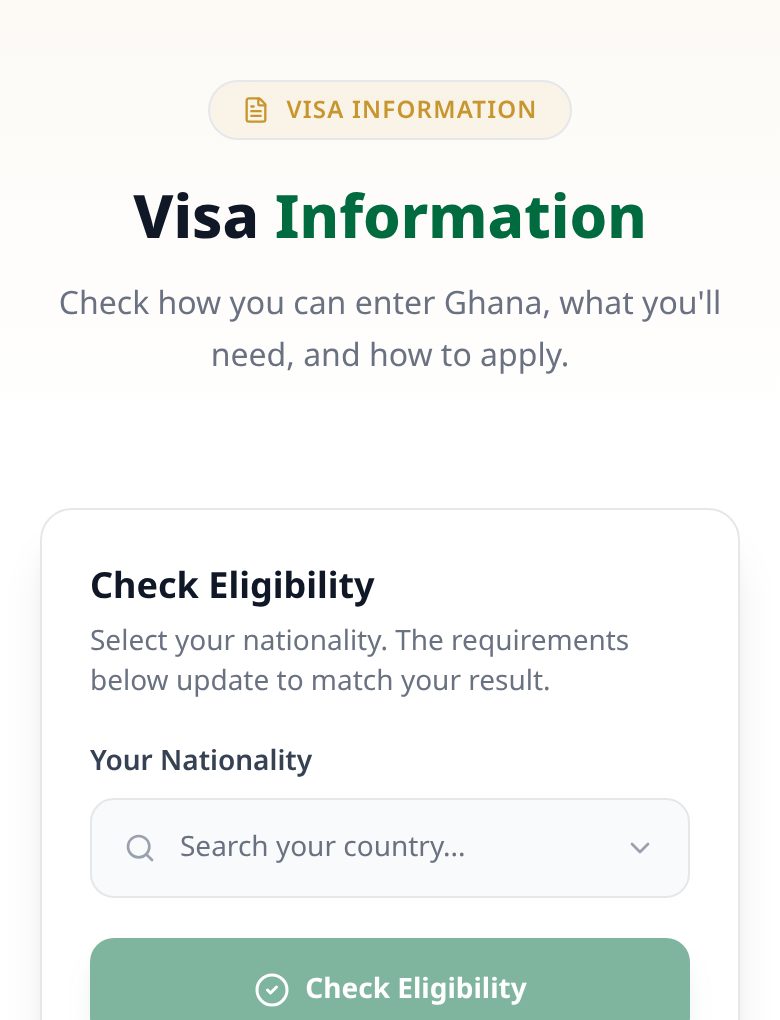
Pick your nationality in the eligibility checker. ECOWAS and AES nationals can enter without a visa. Other African nationals and some countries with visa-waiver agreements get an Electronic Travel Authorisation (ETA) instead. Everyone else needs an eVisa.
Use the checker before you apply. Nationality alone may not decide your route. -
2
Choose Tourist or Business
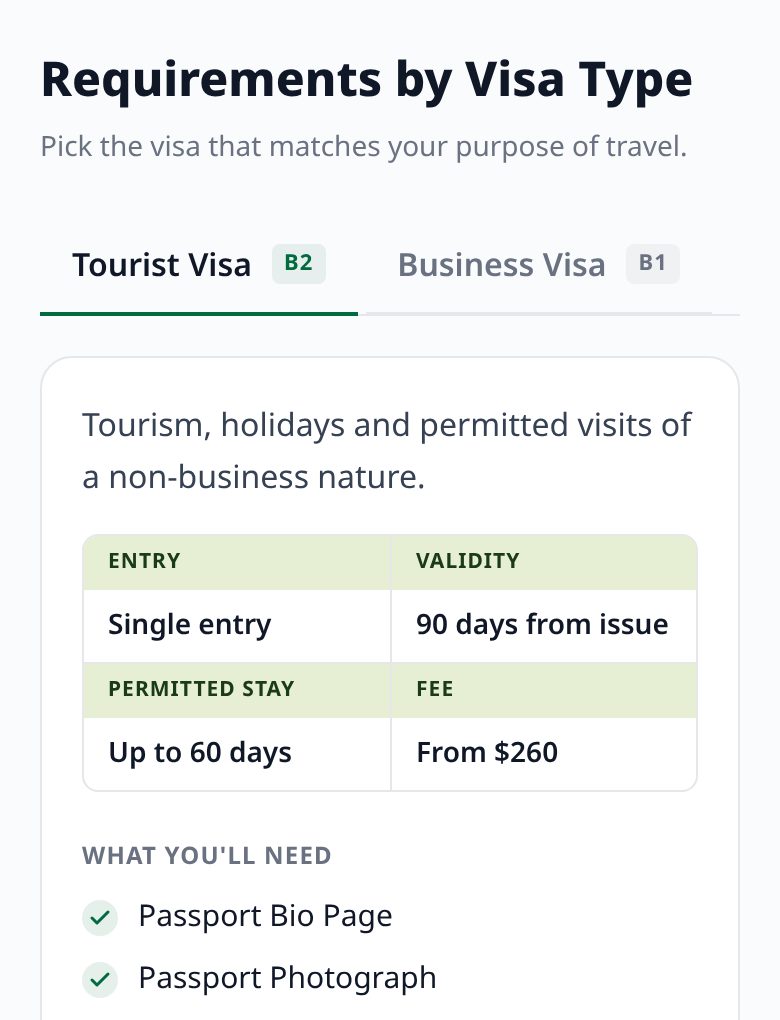
Choose the Tourist (B2) visa for holidays and visits, or the Business (B1) visa for meetings and other business. Both are single entry and valid for 90 days from the date of issue, so apply close to your trip.
At the border, the immigration officer decides how long you can stay, up to 60 days. -
3
Get your documents ready
Scan your passport bio page, photo, ticket, accommodation booking and bank statements. If you're staying with someone, add their signed letter and ID: a Ghana Card or passport for a Ghanaian host, or a passport and residence permit for a foreign resident.
Every letter must be signed and come with the signer's ID. -
4
Apply on the eVisa portal
Create an account at evisa.immigration.gov.gh with your email. Enter your details exactly as they appear in your passport, add your travel dates and upload your documents.
Check everything before you submit. You can't edit or withdraw an application afterwards. Contact support to fix a mistake. -
5
Pay the fee
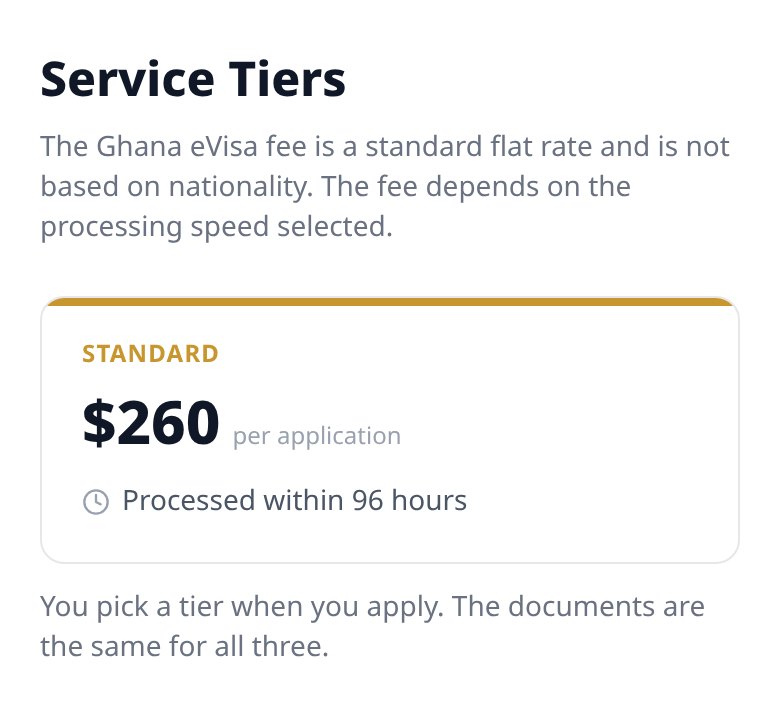
The fee is the same for every nationality. Standard takes 96 hours and costs US$260. Priority takes 48 hours (US$338) and Express takes 5 hours (US$442).
Fees are generally non-refundable. Don't try to pay more than 3 times. If you're charged but the application still shows unpaid, contact support rather than paying again. -
6
Answer any questions
Watch your email and dashboard. If the officer asks for more information, reply through the dashboard within 3 days. Check your status any time on the Track Application page with your reference number.
-
7
Get your eVisa and travel
Your eVisa arrives by email. Check that the name and passport number match your passport. Carry a digital and a printed copy, the same passport, your yellow fever certificate and proof of where you're staying.
A visa doesn't guarantee entry; border officers make the final decision. If you're refused a visa, the reason is emailed to you and you can appeal once from your dashboard.
Screenshots of the official Ghana eVisa portal taken 23 Oct 2026.